In the bustling world of India’s export-import sector, where businesses are constantly navigating complex regulations to tap into global markets, having the right tools can make all the difference. One such essential tool is the DGFT Digital Signature Certificate (DSC), which acts as a secure gateway for seamless online transactions on the Directorate General of Foreign Trade (DGFT) portal. If you’re an exporter shipping textiles from Gujarat or an importer bringing in electronics to Delhi, understanding how to use DGFT DSC effectively can streamline your operations, ensure compliance, and save valuable time. In this comprehensive guide, we’ll explore every aspect of DGFT DSC, from its fundamentals to practical usage tips, helping you optimize your trade processes. Whether you’re a seasoned trader or a newcomer to international business, this resource is designed to provide clear, actionable insights for better efficiency in India’s dynamic foreign trade landscape.
Table of Contents
Understanding DGFT DSC: The Backbone of Secure Foreign Trade Transactions
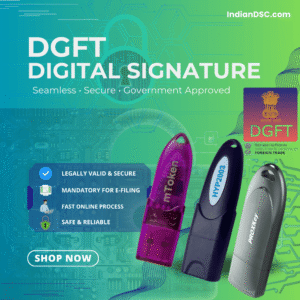
To kick things off, let’s delve into what DGFT DSC really is and why it’s indispensable for export-import activities. The Directorate General of Foreign Trade, or DGFT, is the key government agency under the Ministry of Commerce and Industry responsible for formulating and implementing India’s foreign trade policy. This includes managing exports, imports, and related incentives to boost the country’s economic growth. A DGFT DSC is essentially a Class 3 Digital Signature Certificate specifically configured for use on the DGFT online portal. It serves as an electronic signature that authenticates the identity of the signer and ensures the integrity of submitted documents through cryptographic encryption.
In practical terms, DGFT DSC uses Public Key Infrastructure (PKI) technology, where a pair of keys – public and private – work together to encrypt and decrypt data. This setup guarantees that any document signed with DGFT DSC remains unaltered during transmission, providing a high level of security against tampering or forgery. For businesses holding an Import Export Code (IEC), which is the foundational requirement for any foreign trade in India, DGFT DSC becomes mandatory for digital submissions. Without it, you’d be limited to outdated manual processes, which are not only time-consuming but also prone to errors and delays.
India’s export-import ecosystem has grown tremendously, with merchandise exports reaching record levels in recent years, driven by sectors like pharmaceuticals, textiles, and engineering goods. According to government data, the need for digital tools like DGFT DSC has surged as more businesses go online to comply with policies such as the Foreign Trade Policy (FTP) 2023. This certificate isn’t just a regulatory checkbox; it’s a strategic asset that enables faster processing of applications, reducing turnaround times from weeks to days. For small and medium enterprises (SMEs), which form the backbone of India’s trade, adopting DGFT DSC means leveling the playing field against larger competitors by embracing digital efficiency.
Key Benefits of Integrating DGFT DSC into Your Export-Import Workflow
Adopting DGFT DSC offers a multitude of advantages that go beyond mere compliance, directly impacting your business’s bottom line and operational smoothness. One of the primary benefits is enhanced data security in an era where cyber threats are rampant. With encryption protocols in place, DGFT DSC ensures that sensitive information, such as trade contracts, financial details, or product specifications, remains confidential and protected from unauthorized access. This is particularly crucial for export-import firms dealing with international partners, where data breaches could lead to significant financial losses or reputational damage.
Another major advantage is the acceleration of administrative processes. Traditional methods involved physical paperwork, multiple visits to government offices, and lengthy verification steps. With DGFT DSC, you can submit applications digitally from anywhere, whether you’re in a bustling Mumbai office or a quiet Kerala warehouse. This speed translates to quicker approvals for export incentives, import licenses, or duty exemptions, allowing businesses to respond faster to market demands. For instance, under the RoDTEP scheme, which refunds taxes on exported goods, using DGFT DSC can expedite claims, improving cash flow for exporters.
Cost efficiency is yet another compelling reason to use DGFT DSC. By going paperless, companies save on printing, courier services, and travel expenses. Government portals often provide fee waivers or reduced charges for digital submissions, further lowering costs. In a competitive market where margins are tight, these savings can be reinvested into business growth, such as expanding product lines or entering new international markets.
Moreover, DGFT DSC fosters greater transparency and accountability in trade operations. Every signed document creates an audit trail, making it easier to track submissions and approvals. This is invaluable during audits or disputes, as digitally signed records are legally admissible in Indian courts. For SMEs, this level of professionalism also enhances credibility with global buyers, who prefer partners using secure, modern tools. Additionally, DGFT DSC’s compatibility with other portals like ICEGATE for customs clearances means you can integrate it into a broader digital workflow, minimizing the need for multiple certificates.
From an SEO perspective, businesses that educate their audience on tools like DGFT DSC through content marketing can attract more organic traffic. Keywords such as “how to use DGFT DSC for exports” or “benefits of DGFT DSC in India” are increasingly searched by traders looking for reliable information, helping sites like IndianDSC.com rank higher and drive leads.
Essential Documents and Prerequisites for DGFT DSC Application
Before you can start using DGFT DSC, obtaining one is the first step, and that begins with gathering the right documents. This process is governed by strict guidelines to verify authenticity, but it’s straightforward when prepared. For most export-import businesses, which are typically organizations, the key requirements include:
- The IEC Code and its certificate, issued by DGFT, as this links your DSC to your trade profile.
- PAN Card for both the applicant (an authorized signatory like a director or partner) and the organization.
- GST Registration Certificate, which serves as proof of business operations.
- An Authorization Letter on the company’s letterhead, detailing the applicant’s role and authority to apply.
- Identity Proof for the applicant, such as Aadhaar Card, Passport, Voter ID, or Driving License.
- Address Proof, like a recent utility bill, bank statement, or lease agreement (not older than three months).
- A recent passport-sized photograph of the applicant.
For proprietorships, personal documents suffice, but partnerships or companies may need additional items like the Partnership Deed, Memorandum of Association (MOA), or Articles of Association (AOA). NRIs or foreign nationals involved in Indian trade must provide attested copies of their passport, visa, or OCI/PIO card, along with international address proof.
At IndianDSC.com, we simplify this with a paperless application. Visit our Shop Page to select your DGFT DSC package, upload documents after checkout, and complete verification via video eKYC. This uses OTP-based authentication linked to Aadhaar or PAN, ensuring quick processing without physical visits. Our team reviews submissions promptly, and if any issues arise, we’ll guide you to resolve them, making the entire setup hassle-free.
Detailed Step-by-Step Guide to Using DGFT DSC on the Portal
Now, let’s get into the nitty-gritty of how to use DGFT DSC effectively. This guide is based on real-world practices for export-import tasks, ensuring you can apply it directly to your business.
Step 1: Initial Setup and Registration of DGFT DSC
Begin by accessing the DGFT portal at dgft.gov.in. If you’re a first-time user, create an account using your IEC details. For existing users, log in and navigate to “My Dashboard” followed by “View and Register Digital Signature Token.”
- Insert your USB token (provided by IndianDSC.com, such as ePass or ProxKey) into your computer’s USB port.
- Download and install the necessary drivers from our Driver Download page if not already done.
- Launch the emBridge utility or equivalent software for your CA.
- Select the DGFT DSC certificate from the token, enter your PIN, and click “Register.”
- The system will cross-verify with your IEC and PAN. Once successful, your DSC is linked, allowing secure access to services.
This registration is a one-time process, but repeat it if you renew your DSC. If you encounter errors like “invalid certificate,” ensure your token drivers are updated.
Step 2: Applying for IEC or Profile Updates with DGFT DSC
For new traders, start with IEC application under “IEC Profile Management.” Fill in business details, upload PAN, GST, and bank proofs, then digitally sign using your DSC – plug the token, select the certificate, and enter PIN before submitting.
- For profile updates, like adding new branches or changing contact info, use the same section. Sign amendments with DGFT DSC to authenticate changes.
This step is critical, as an accurate IEC profile is the foundation for all trade activities.
Step 3: Filing License Applications and Incentive Claims
DGFT DSC is most powerful here. For Advance Authorization (duty-free imports for exports):
- Go to “Services” > “Advance Authorization Scheme.”
- Enter product details, input-output norms, and export obligations.
- Upload technical specifications, invoices, or feasibility reports.
- Review, then sign digitally with your DGFT DSC and submit.
For EPCG licenses:
- Navigate to “EPCG Scheme.”
- Provide machinery import details, export commitments, and justifications.
- Attach bank guarantees or bonds if required.
- Use DSC to sign and finalize the application.
Claiming incentives under RoDTEP:
- Under “RoDTEP Scheme,” input shipping bills, export values, and tax details.
- Upload proof of exports (e.g., e-BRC from banks).
- DGFT DSC ensures secure submission for refund processing.
These applications often get approved faster with digital signing, as the portal prioritizes verified submissions.
Step 4: Submitting Certificates and Compliance Documents
For a Certificate of Origin:
- Select “Get Certificate of Origin” under services.
- Fill shipment info, HS codes, and buyer details.
- Upload commercial invoices and packing lists.
- Sign with DGFT DSC to issue the certificate instantly for some cases.
Compliance reports, like utilization statements for licenses, follow similar steps – upload data, sign with DSC, and submit. This keeps your trade status active and avoids penalties.
Step 5: Monitoring, Renewals, and Advanced Features
Use “My Dashboard” to track application statuses. For renewals, apply fresh via IndianDSC.com before expiry. Advanced users can integrate DGFT DSC with APIs for automated filings, but start simple.
Our representative team at IndianDSC.com is available via email or phone at 7994725511 to assist with any setup queries, ensuring you never feel stuck.
Common Troubleshooting for DGFT DSC Issues
Troubles can arise, but they’re fixable:
- Token Detection Problems: Ensure drivers are installed; restart your computer or try another USB port.
- PIN-Related Errors: If locked after wrong attempts, reset through CA software or contact support.
- Mismatch Errors: Verify IEC profile details match your DSC; update if needed.
- Software Glitches: Update emBridge or Java; clear browser cache for portal issues.
- Portal-Specific Problems: During high traffic, wait or use off-peak hours.
If problems persist, our team at [email protected] provides step-by-step help to get you back on track.
Advanced Tips for Optimizing DGFT DSC in Your Export-Import Business
To elevate your usage:
- Integrate with ERP Systems: Link DGFT DSC to software for automated data pulls.
- Train Your Team: Conduct sessions on DSC handling to avoid errors.
- Backup Strategies: Use secure storage for tokens; have backups ready.
- NRI-Specific Advice: For overseas traders, use VPNs if portal access is geo-restricted.
Regular audits ensure compliance, and staying updated via DGFT notifications keeps you ahead.
Final Thoughts: Unlock Your Export-Import Potential with DGFT DSC
Wrapping up, DGFT DSC is more than a certificate – it’s your partner in navigating India’s foreign trade with confidence. From securing licenses to claiming incentives, it simplifies complex processes for exporters and importers alike. At IndianDSC.com, we’re committed to making this accessible with quick applications, free shipping, and dedicated support. Explore our Shop Page to get started, or visit About Us to learn more about our Kerala-based team. For any questions, head to Contact Us or call 7994725511. Embrace DGFT DSC today and watch your trade business soar!